
A primer!
No matter which company you go to – Big Tech, Start-ups, Insurance Tech – you can expect to run into the issue of needing to hold discussions with your engineering team on how to best execute testing for your applications. In the world of a single developer working in their own machine, testing is relatively straightforward – if it works on my local machine and I feed inputs X and get out Y, everything works.
Well yes, but that’s in the world of a single application on a stand-alone computer. Great for academia or student settings, BUT, not the way that industry goes. Turns out real-world testing is far, far more involved.
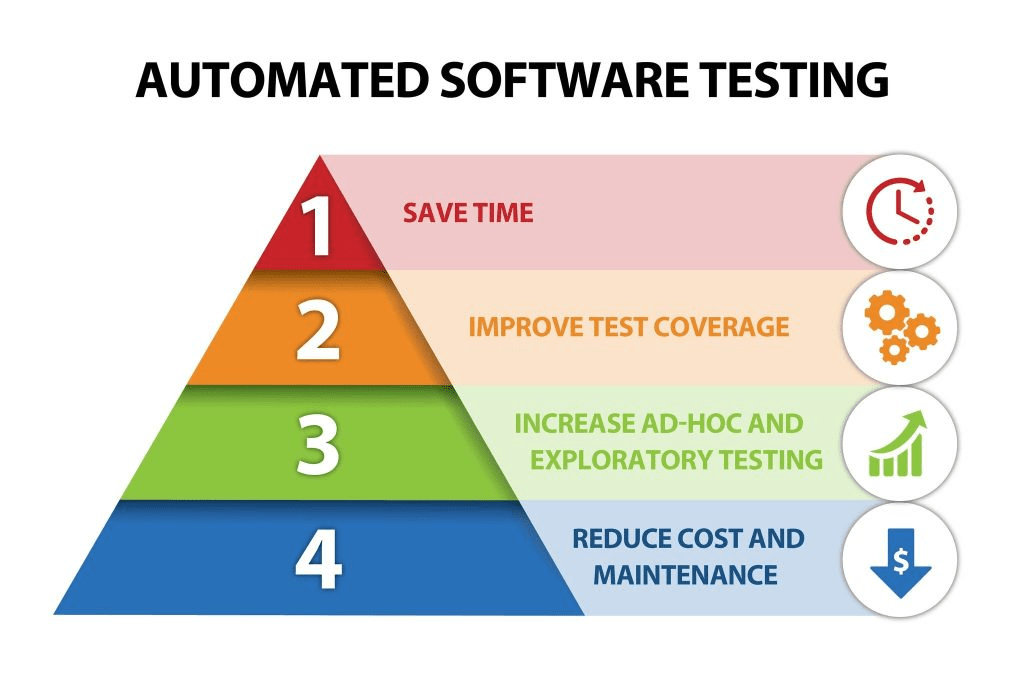
What is the Automated Feature Testing? Why not manual testing?
- Frequently, engineer talent tests their features in manual, one-off ways. It’s effective, but it’s not the fastest. Reasons
- Single engineers need to be told to trigger scans using existing tools ( UI or API ) to verify if a feature in production works and “does what it does”.
- Let’s introduce a continuous polling / execution mechanism for where we mock the feature tester
- Assert on a cadence ( every 24 hours/hourly/weekly ) to verify the feature behaves as expected
The Big Questions Engineering Talent Should Ask!
- Do business requirements or technical complexities justify the need to introduce automated testing?
- How do we automate effectively? With environment constraints, costs, and other factors?
- Can a team still work effectively with one-off, visual/human-based end-to-end feature testing?
What’s my End Goal?
- Create business value – can communicate to any stakeholder/end user that a feature does what it does.
- Get customer trust : tests communicate correctness, latency, and performance guarantees to end users.
Simulate production environments – mirror the real-world, in a non-production environments, as safely as possible. - Worst case scenario preparation – can we think about the worst case scenarios before they even happen? Can a single test catch a black-swan event?
- Audit log : Have a maintainable audit/log history with the status of whether a productionized feature works and meets SLAs or SLOs.
Benefits
- Comprehensiveness : Capture more errors codes, paths, and details that a human can miss out on in one-off UI testing.
- Time savings : A short-term time investment of 10-20 hours over two weeks is needed, but the long run savings of time spent not dealing with debugging, root cause analysis, or triaging issues late at night pays of long-term dividends.
- Externalize dependencies : remove reliance on the following : Devs to execute ad-hoc tests and working UI interfaces ( it’s all programatic ).
- Yields confidence in correctness and path coverage – tests emulate production environment closely.
- Can introduce metrics or track frequency of errors/other failure types towards centralized logging.
- Follows best practices : in many companies, we lack client-side / UI applications to execute triggers
- Addresses automation gaps.
- Portability of automated test set ups to other use cases
- Ensures client-agnostic testing ( Insomnia, UI, Airflow )
- Addresses failure mode concerns ( e.g. distributed system problems )
Frequently used Tech and Tools
- Apache Airflow – open source job scheduling service. You can define Python-like code to make API calls to external microservices and execute a sequence of tasks with their corresponding dependencies.
- Cron – scheduling service. Used in Linux-heavily environments.
When to bias towards manual testing?
- Release prioritization – meet urgent deadline deliverables.
- Set up Challenges – endpoint calls drastically differ.
What are Automated Health Checks?
- Can hit a generic API endpoint or a targeted /health API endpoin
- Receives the equivalent of a 200 OK HTTP response.
- Pros
- Quick execution
- Standard industry best practice
- Cons
- No verification of async operation behavior
- Say for an API call, we can get a 200 OK response, but no ability to verify a successful scan
- No verification of application behavior
- Upstream health checks ( at component with sequence number 1 ) does not verify downstream components work ( say at sequence number 6 )
- No verification of async operation behavior
- Automated health checks is not the same as automated feature testing
- ( I’ll be using the term feature testing here ).
- Is in more depth – verifies that an application does what it does
- Emulates similar industry practices – see Netflix’s Chaos Engineering principles, or SRE practices
Credit where Credit is Due
Geico Tech Talent : credit tech talent – Vincent Chong, Ashok Subedi, and Nagendra Kollisetty – for refinement of ideas
 harisrid Tech News
Leave a comment